12 Fusion title templates for DaVinci Resolve and one intro preset. They are the subtitles and info graphics used in school broadcasting club videos. The templates come in two sets to match the project color setup (base, and no color management).
All values are Fusion values. Position is Center 0–1, mask size is pixels/1920 and pixels/1080, corner radius is CornerRadius, and text is the Text+ Size. A color is either the Fusion color value from the original composition, or is set as a display color (#hex) and the build computes the Fusion value with the BT.709 formula. The widths of pills and boxes that change with the text length are set by Fusion through expressions that measure the text's DataWindow.
Elements
The template names and Inspector input names below are the Korean names used in Resolve, with English glosses.
| Template | Preview | What you edit in the Inspector | Recommended length |
|---|---|---|---|
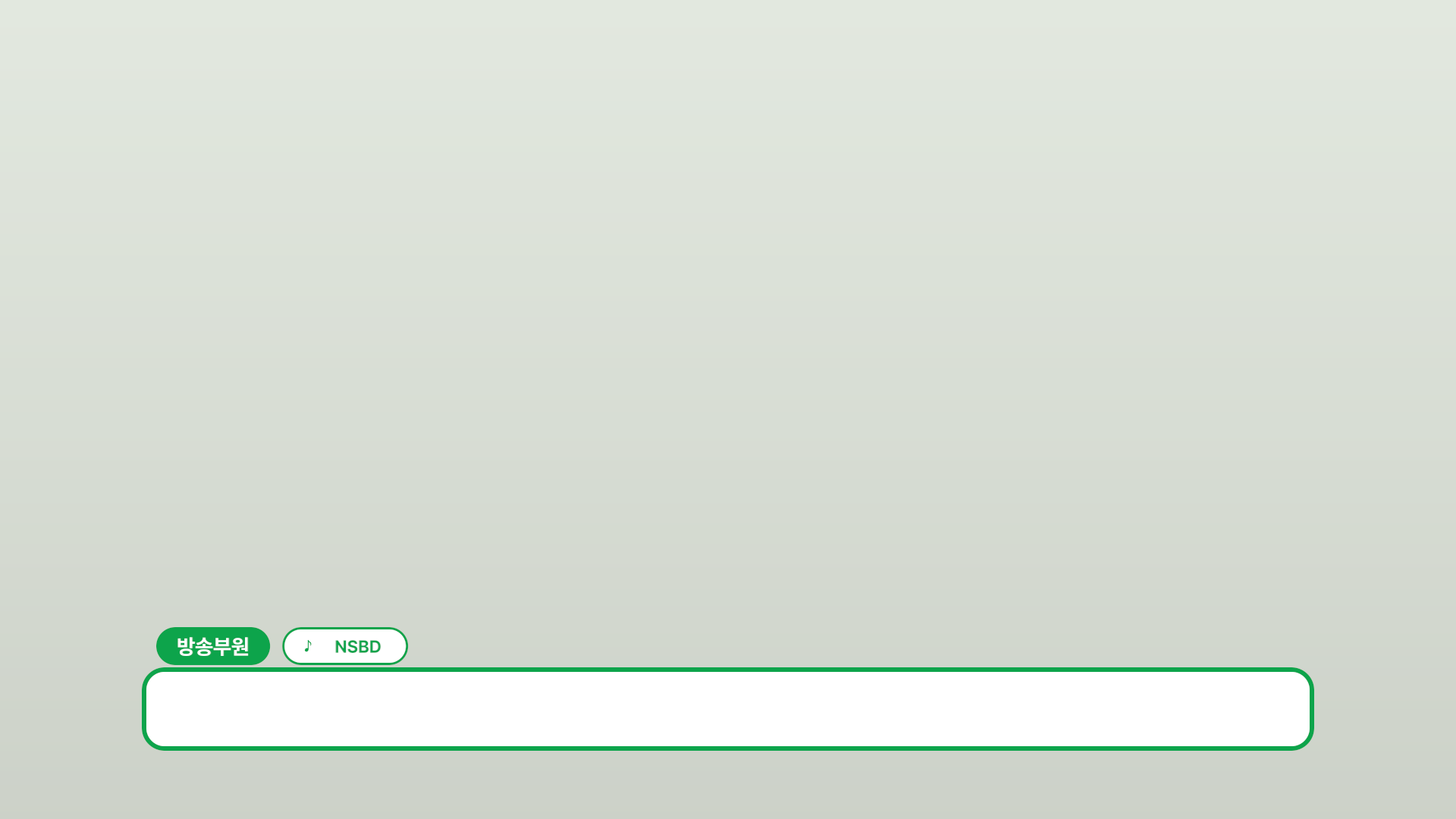
| 자막바 (subtitle bar) | |
name, icon, affiliation, color | 150 |
| 자막 (caption) | 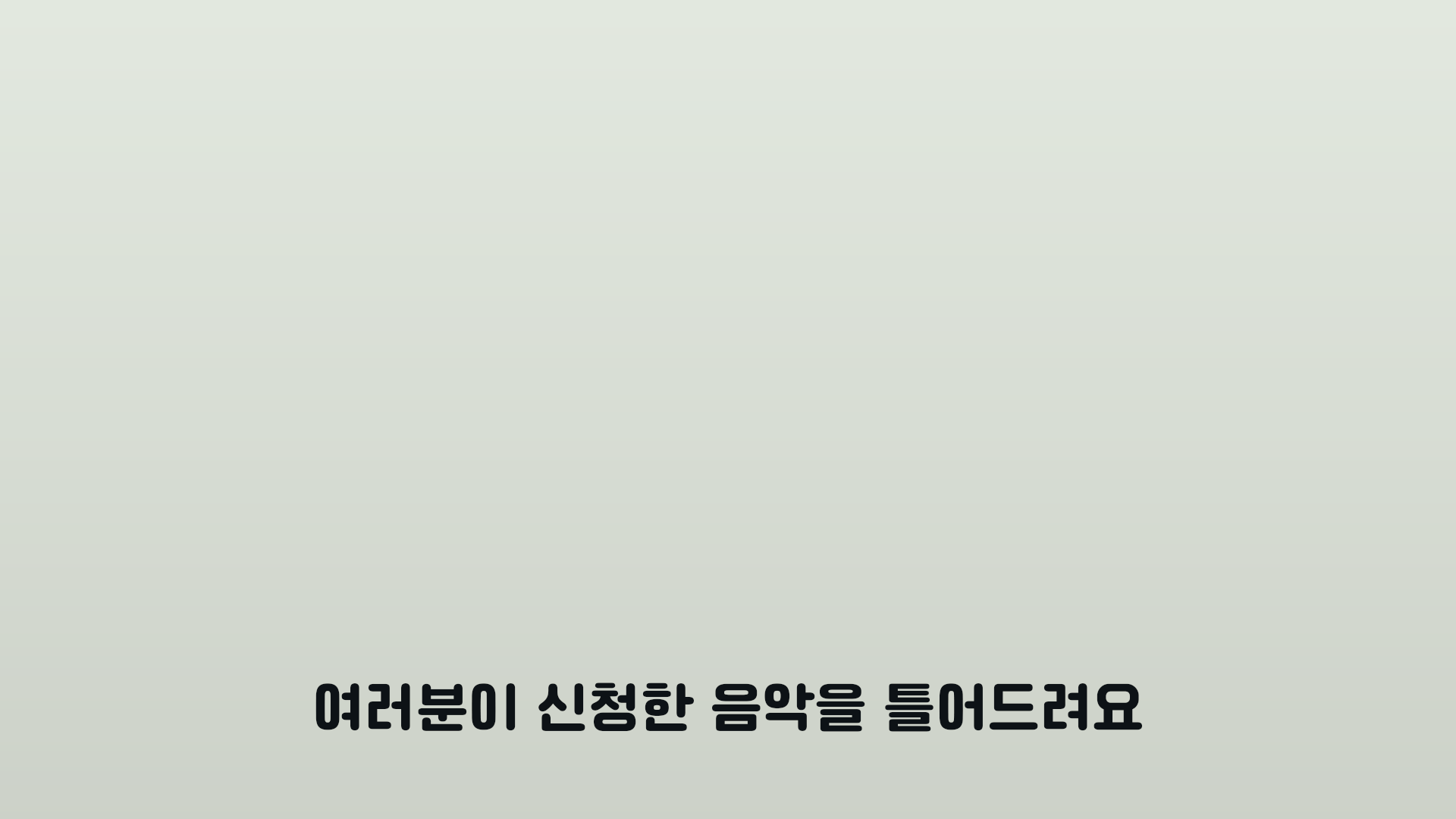 |
caption, text color | 90 |
| 질문 (question) | 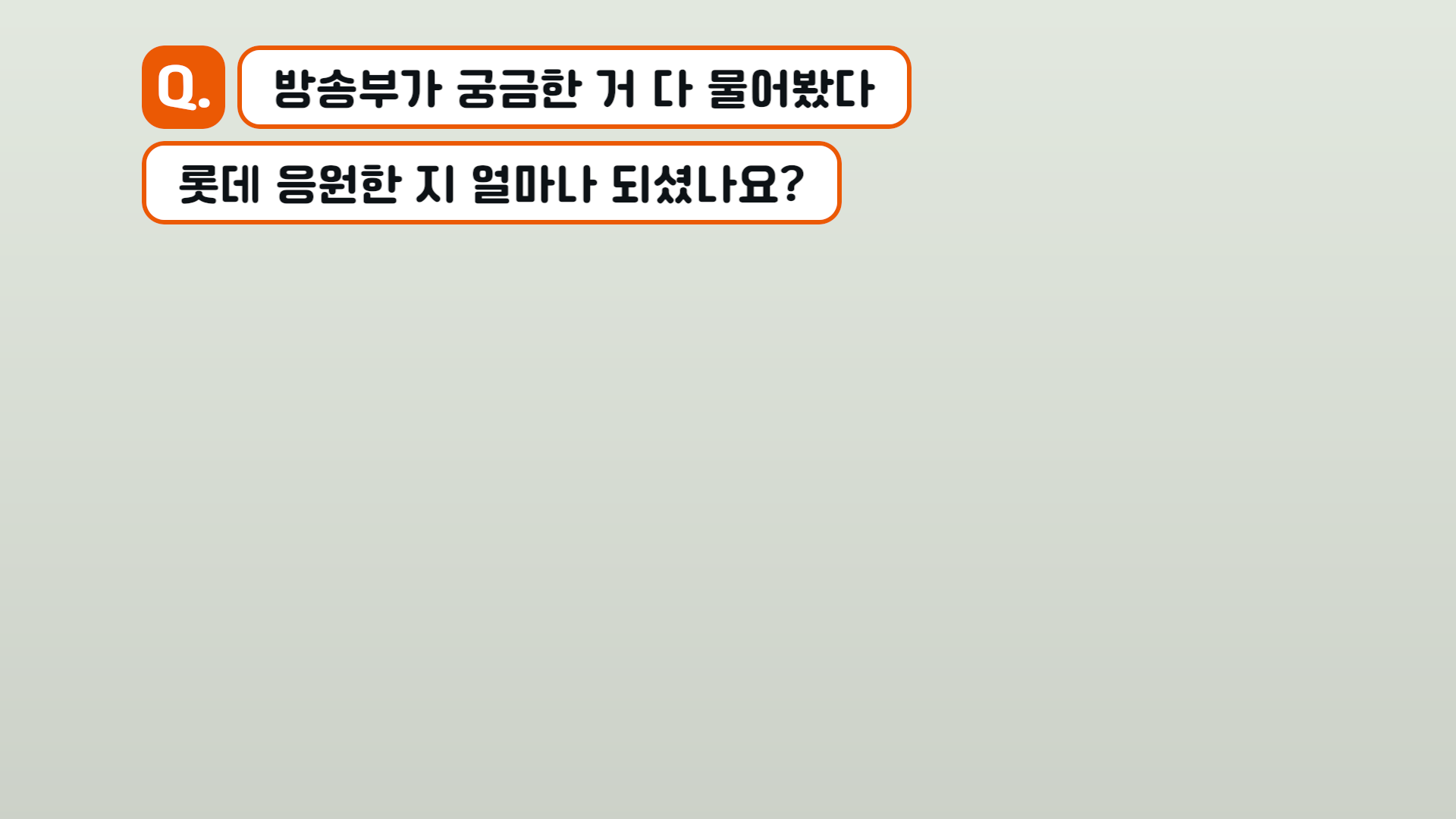 |
part, question, question line (off), color | 150 |
| 이지선다 (two-choice) | 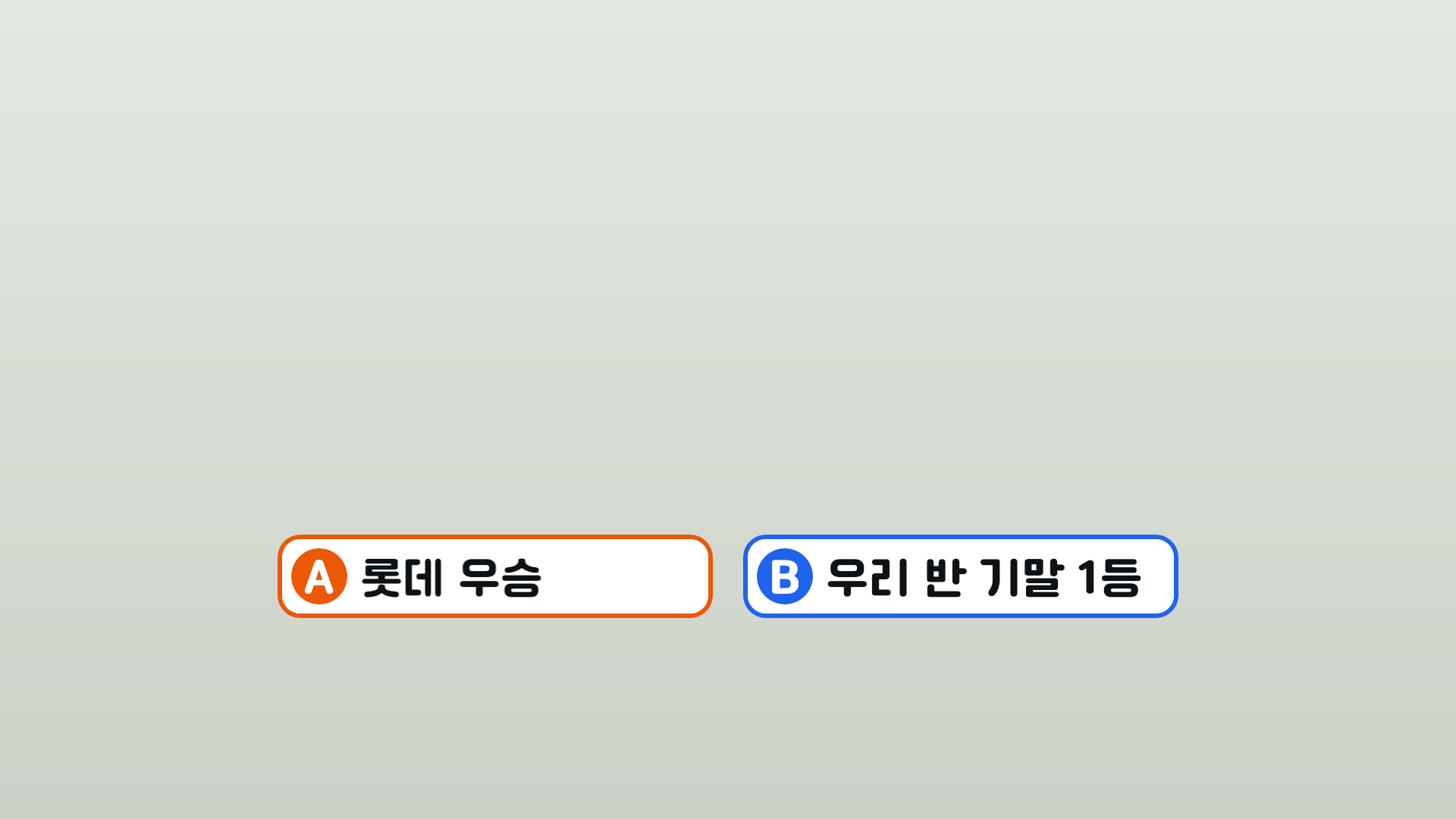 |
A, B, A·B sharpness, A·B color | 150 |
| 안내 카드 (info card) | 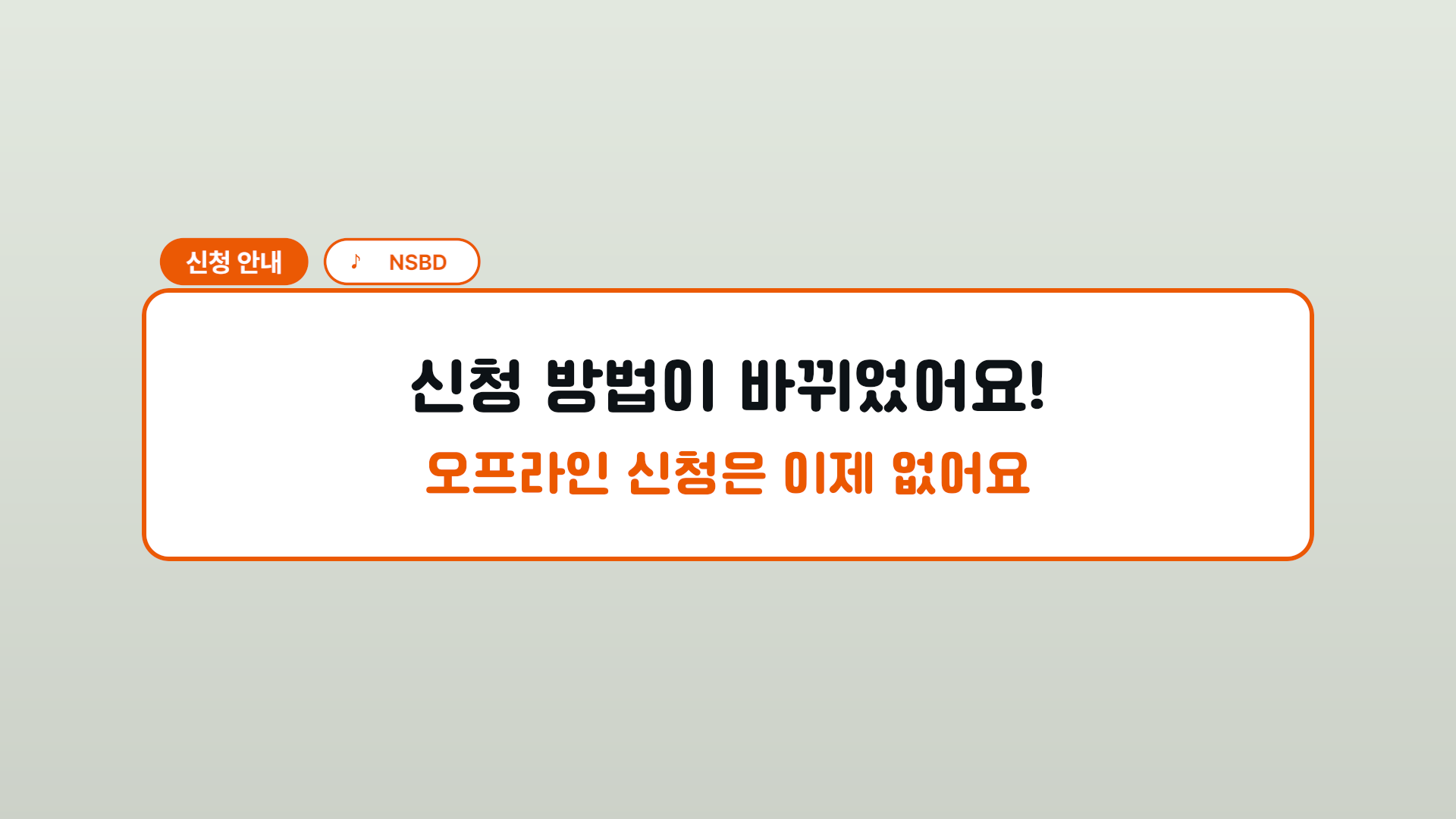 |
large line, small line, pill (name, icon, affiliation), color, wall, content fade | 120 |
| 링크 (link) | 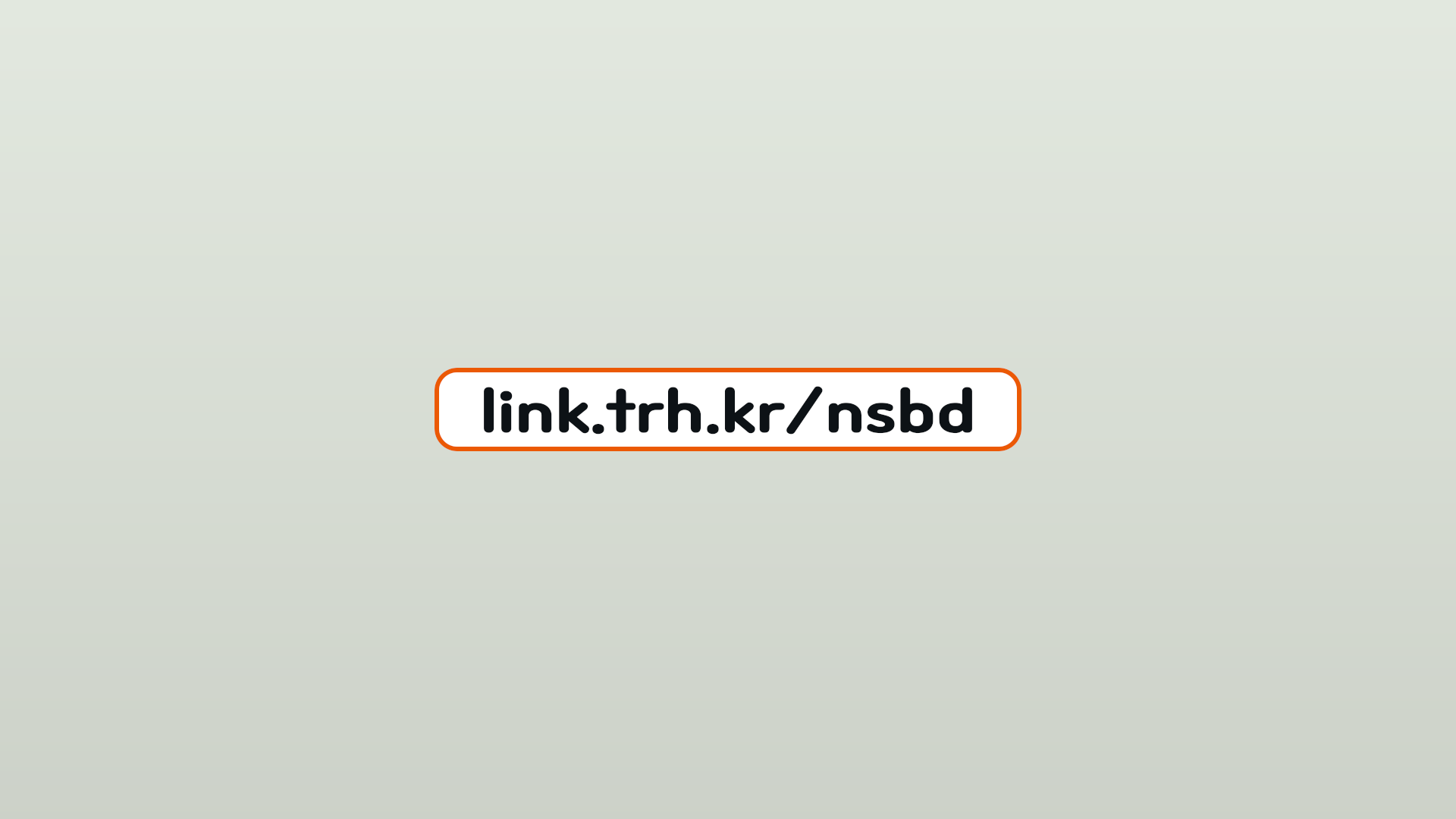 |
link, color | 120 |
| QR 카드 (QR card) | 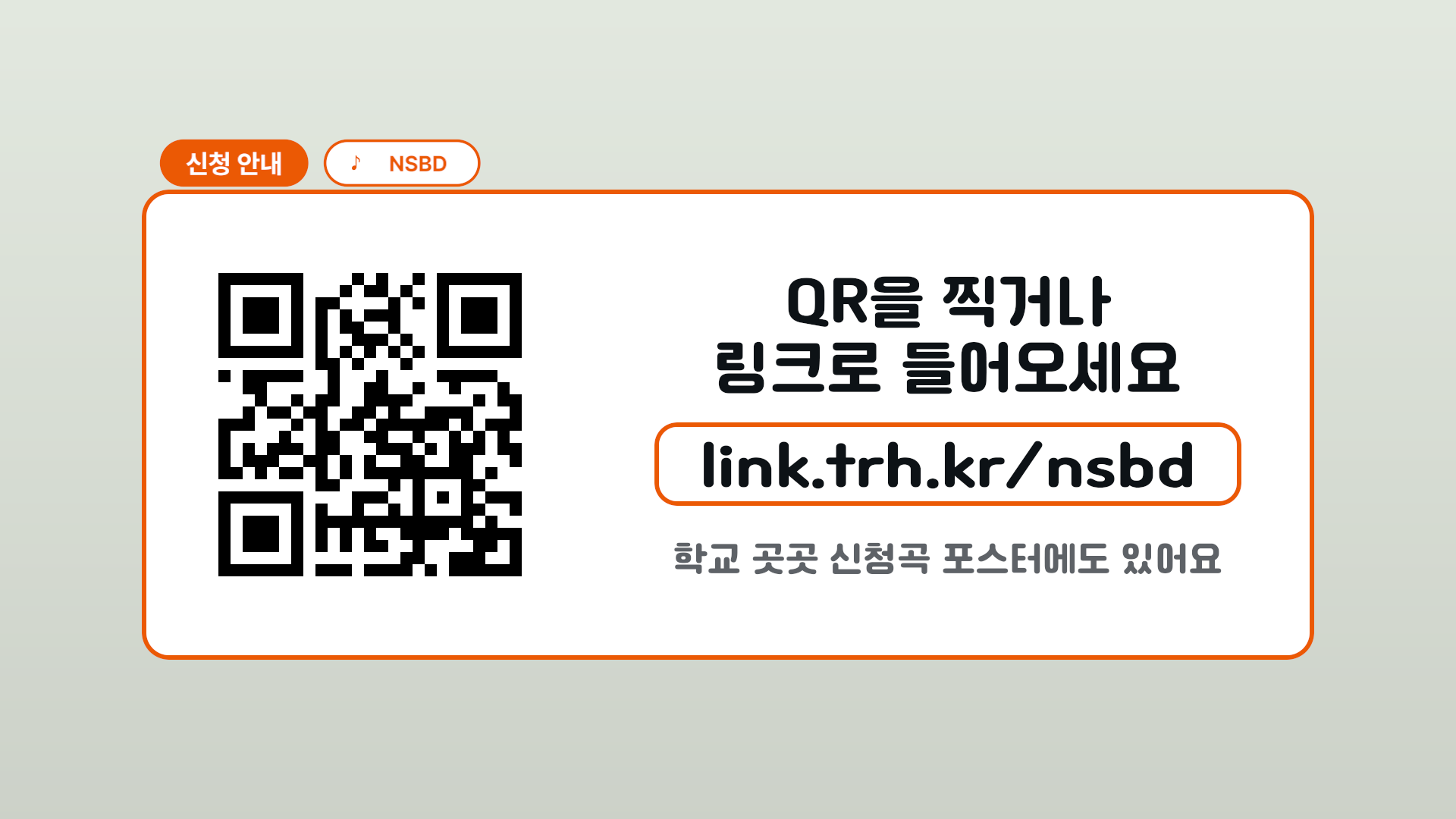 |
QR image, large lines 1 and 2, link, secondary line, pill, color, wall, content fade | 226 |
| 폼 데모 (form demo) | 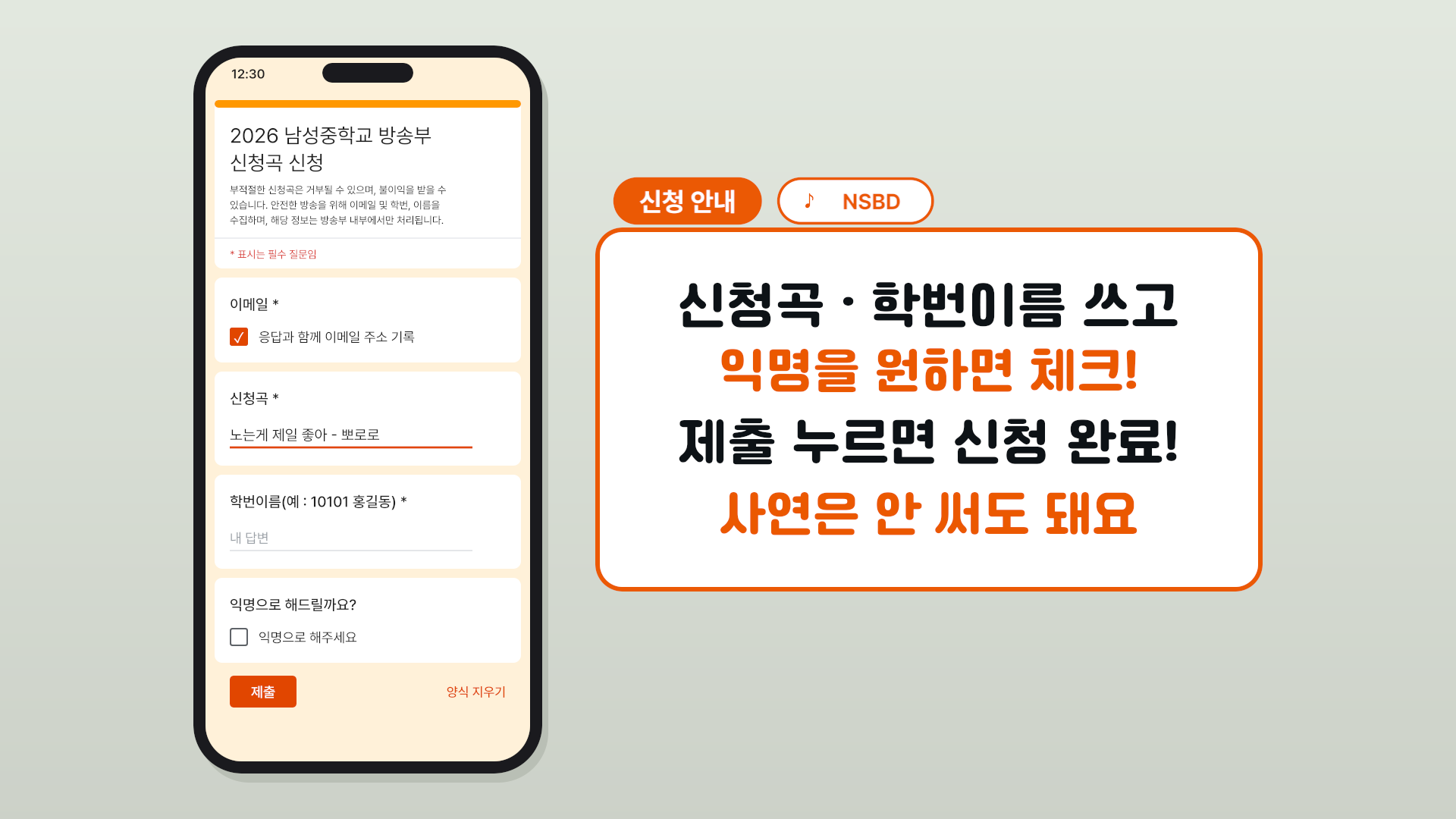 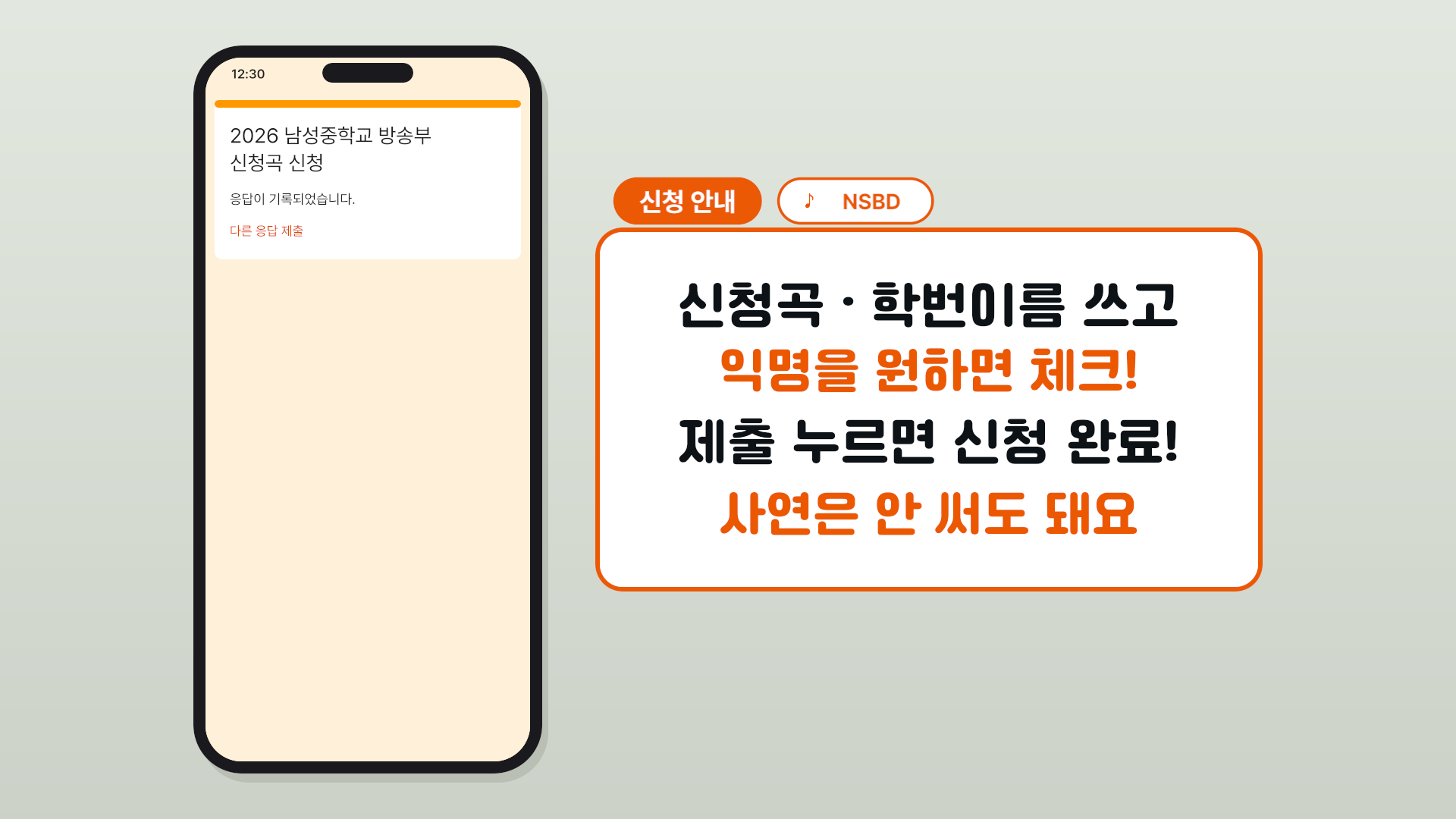 |
form text (list below), notes 1–4, pill, color, wall, content fade | 227 |
| 오프닝 타이틀 (opening title) | 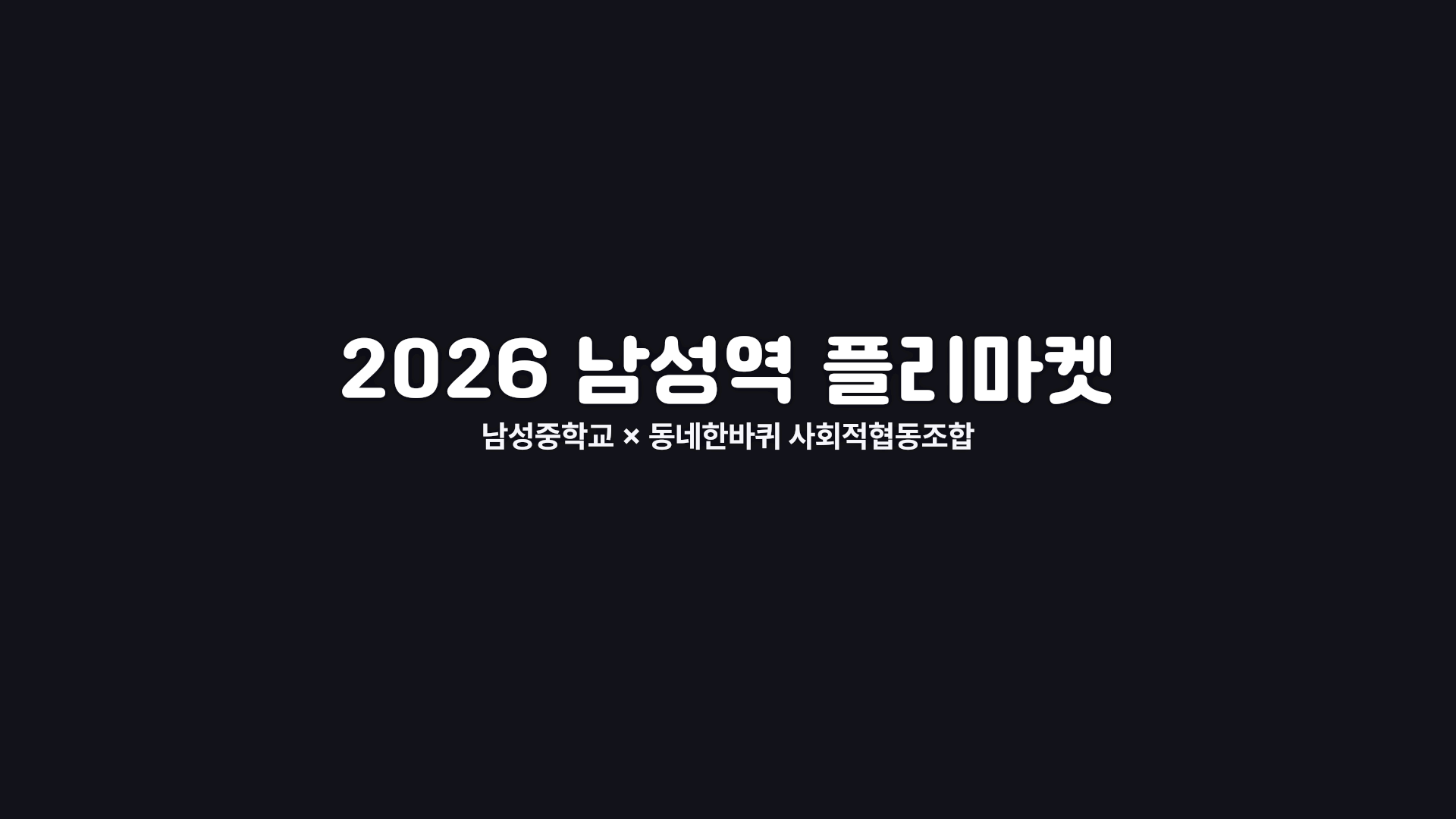 |
title, subtitle | 151 |
| 섹션 타이틀 (section title) | 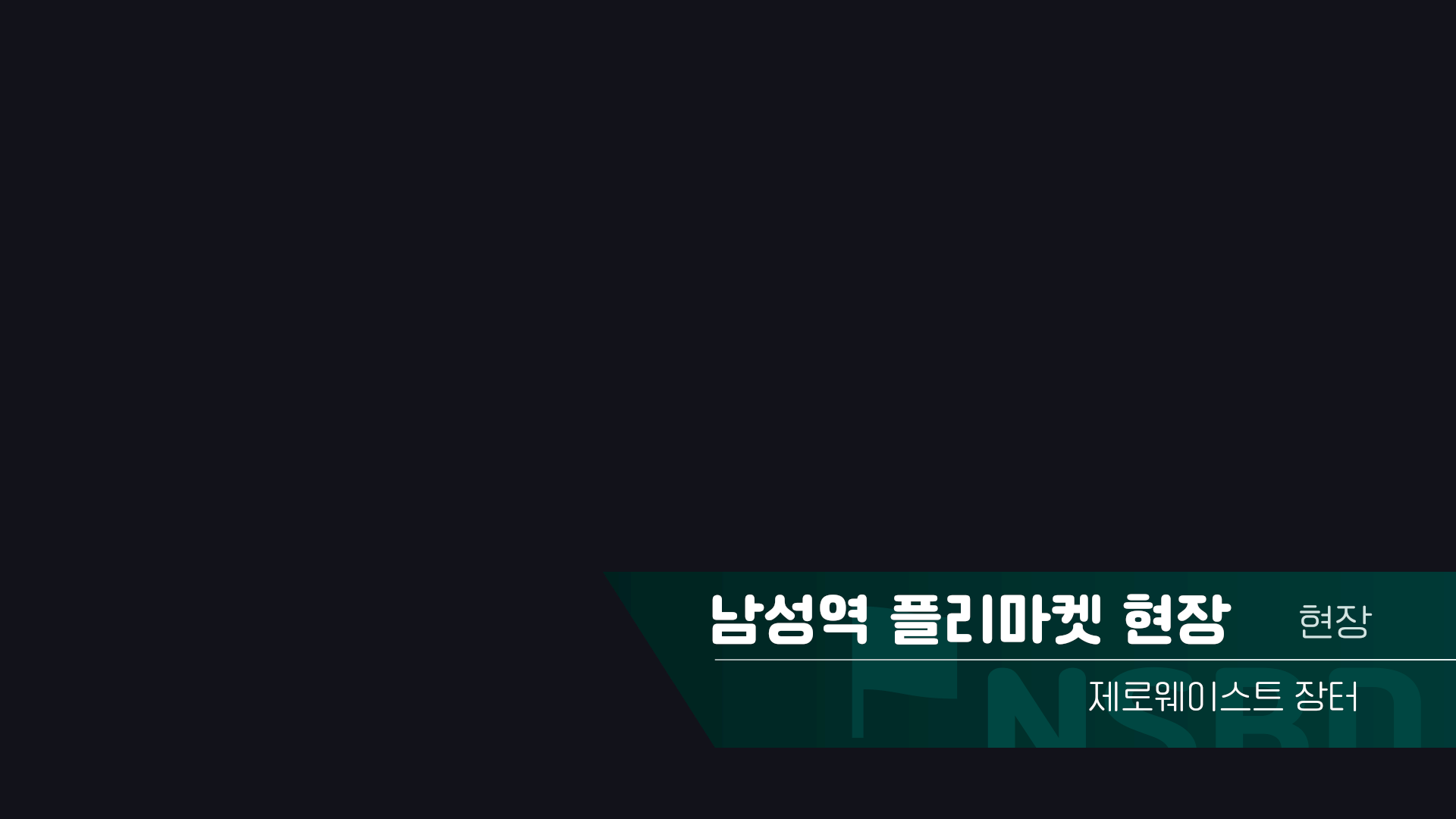 |
title, icon, label, subtitle, background text | 184 |
| 크레딧 (credits) | 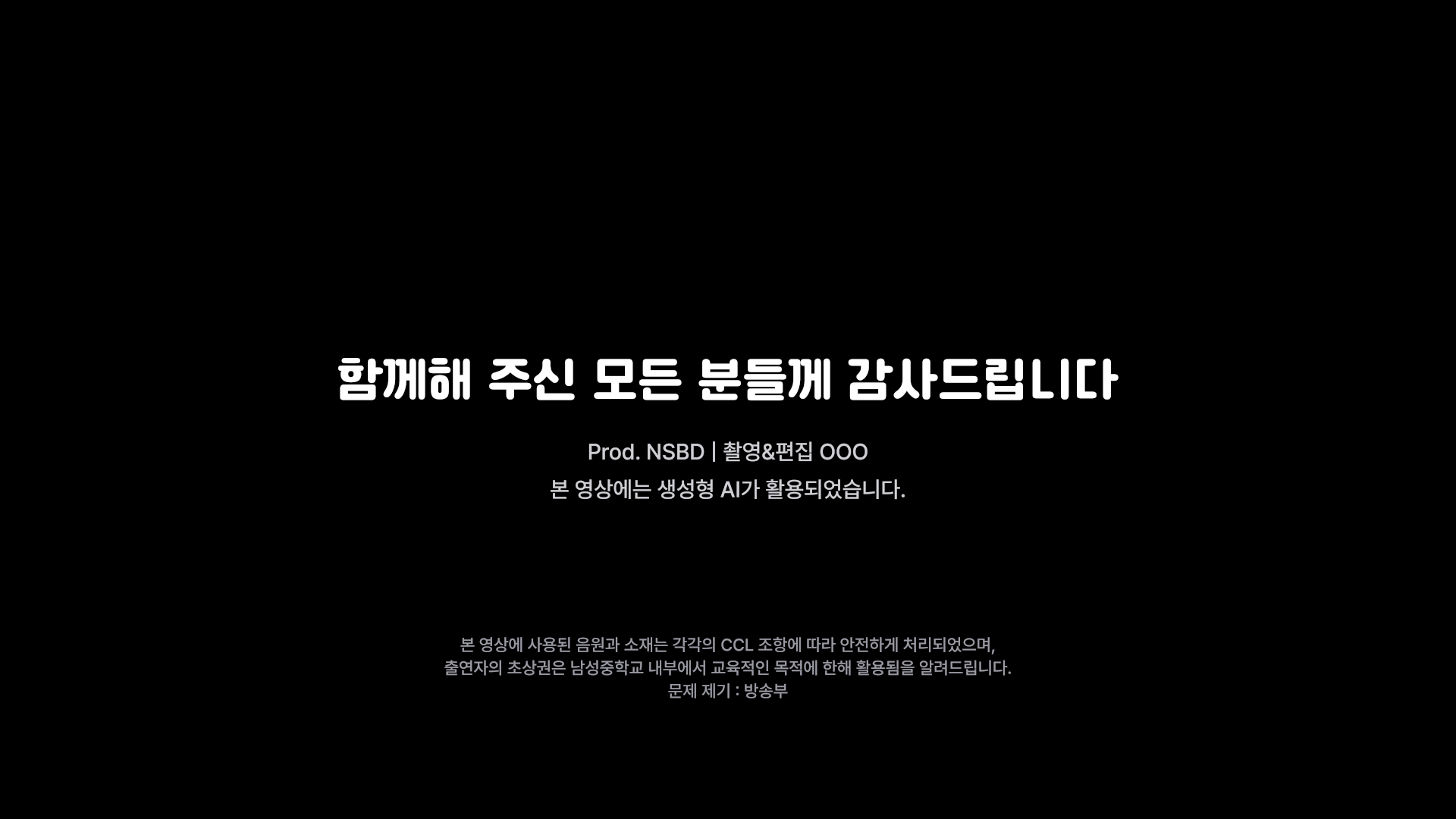 |
large line, role, notice | 114 |
| 워터마크 (watermark) |  |
text | 150 |
| Intro (preset) | docs/intro.md | only put values into Resolve's default 'Draw On Corners 1 Line' | 73 |
Each template has one more set whose name ends in (색 관리 없음) (no color management). Which one to use is described in Project color setup.
Every template has 위치 (position) and 크기 (size). They are the inputs of the Transform (th_xf) attached at the very end. For the four that wrap the originals (opening, section, credits, watermark), this Transform is attached after the original output, and the values of the original nodes are unchanged.
The card templates (info card, QR card, form demo) have their own back-wall gradient, which is on by default (Inspector 벽 = 1). To lay only the card over a video, set 벽 to 0. The credits have an opaque black plate from the original composition, so they cover the video.
The previews are frames rendered by scripts/render_previews.py with the base set in a project with the base setup. The card templates and the credits are rendered as the templates are, and only the others get a background laid behind them at preview time. The subtitle bar, caption, question, two-choice, and link use the wall gradient, and the opening, section, and watermark use ink (a dark near-black).
Form demo
A scene in which the application form on a phone gets filled in, with an info card on the right. The animation frames are in form.frames. Email record check 16, song-request input 34–76, student ID and name input 86–116, anonymous check 130, submit 150, completion screen 162.
The form texts you edit in the Inspector are title 1 and 2, description 1–3, required notice, questions 1–4, checks 1 and 4 (the text next to the check boxes), answers 2 and 3 (the entered answers), button, clear, completion message, completion link, clock, and blanks 1 and 2 (the 'my answer' placeholder in the answer spot). The card on the right consists of notes 1–4 and the inputs shared by the cards (name pill, icon, affiliation pill, color, wall, content fade). The check mark (✓) is not exposed as an input.
The completion screen reuses the two title Text+ nodes of the form screen. If you edit 제목 1 and 제목 2 (title 1 and 2), both screens change together.
Installation
python scripts/install.py
It copies templates/*.setting (24 files, two sets) into th01 under Resolve's user titles folder. You do not need to restart Resolve. They appear as th01 … under Edit page → Effects → Titles → Fusion Titles.
| OS | Folder |
|---|---|
| Windows | %APPDATA%\Blackmagic Design\DaVinci Resolve\Support\Fusion\Templates\Edit\Titles\th01 |
| macOS | ~/Library/Application Support/Blackmagic Design/DaVinci Resolve/Fusion/Templates/Edit/Titles/th01 |
| Linux | ~/.local/share/DaVinciResolve/Fusion/Templates/Edit/Titles/th01 |
Fonts
Font files are not included. Install them and then use them in Resolve.
| Used for | Font | Where to get it |
|---|---|---|
| Caption, cards, question, two-choice, link, opening title, section title and background text, credits large line | Cafe24 Ssurround Bold | Cafe24 free fonts |
| Watermark, section label and subtitle | Cafe24 Ssurround air Light | Cafe24 free fonts |
| Pills (name, affiliation), form, opening subtitle, credits role and notice | Pretendard Bold / Regular / Medium / SemiBold | Pretendard |
| Pill icon, form check mark, section title icon | Segoe UI Symbol | Included with Windows |
| Intro | Open Sans Bold | Google Fonts |
Segoe UI Symbol comes with Windows. On macOS and Linux, either change the icon inputs (the 아이콘 (icon) of the subtitle bar and cards, and the 아이콘 of the section title) to a different character, or install a font that has these glyphs (♪ ✓ ⚑). The check mark in the form demo is not exposed as an input, so it has to be solved on the font side.
Values
The values are in tokens.json, and the build reads them from this file to make the templates. There are two exceptions. The four that wrap the originals use the values of the original compositions (source/comps) as they are. The detailed layout inside the form demo's phone screen (form card height, line spacing, the positions of check boxes, input lines, and the button, the size, color #1A1A1A, and opacity of the tap indicator, and the few frames before and after a transition) is in build/form.py. These are the constants at the top (such as TOP_PAD) and the numbers inside form_demo.
Colors
Colors are written in two ways.
- List
[R, G, B]: the Fusion value from the original flea market composition (speaker-1 to 4, ink, paper). In the base setup it looks the same as the original. {"display": "#hex"}: a color set as a display color (wall-top, wall-bottom, muted). The form colors of the form demo (form.colors) are written as"#hex"strings and treated the same. The build computes the base set's Fusion value with the inverse BT.709 OETF (elements.inv_oetf), and for the (색 관리 없음) set it uses hex/255 as is.
| Name | tokens.json value | Used for |
|---|---|---|
| speaker-1 | 0.011289247014021, 0.418478260869565, 0.102974828375286 | First speaker |
| speaker-2 | 0.0292307948434309, 0.168115942028985, 0.855072463768116 | Second speaker, two-choice B |
| speaker-3 | 0.847826086956522, 0.136231884057971, 0.00372334389287526 | Third speaker, info, link, question, two-choice A, form demo right card |
| speaker-4 | 0.247491638795987, 0.0706521739130435, 0.869565217391304 | Fourth speaker |
| ink | 0.0153261367602296, 0.0175521639615446, 0.0224107262224479 | Caption and card large lines |
| paper | 1, 1, 1 | Inside of bars, cards, and pills |
| wall-top / wall-bottom | display color #E2E8DF / #CCD1C8 | Wall behind cards |
| muted | display color #5F6368 | Card secondary line |
Form colors of the form demo (display colors of the application form page): bg #FFF0D9, accent #E04500, topbar #FF9800, text #1F1F1F, gray #5F6368, light #9AA0A6, red #D93025, line #DADCE0, phone #1B1B1D, shadow #B9BFB5.
Project color setup
There are two sets of templates (pipeline.variants). The two sets are made to look the same on screen.
| Set | Template name | Project it is for |
|---|---|---|
| Base | … |
Color science DaVinci YRGB Color Managed v2, Timeline / Output color space Rec.709 (Scene), Working luminance SDR 100 |
| No color management | … (색 관리 없음) |
DaVinci YRGB (no color management) |
The (색 관리 없음) set has the BT.709 OETF applied to every color value of the base set. The color inputs of the four that wrap the originals are the same (COLOR_INPUT in build/flea.py). The formula is V = 4.5·L (L < 0.018), V = 1.099·L^0.45 − 0.099 (otherwise), and the constants are in pipeline.oetf. Near black the two sets differ slightly, because the output of a color-managed project also gets the Resolve DRT.
If you choose the wrong set, the colors differ. If you put the base set into a project without color management, value×255 becomes the display color as is, which is darker (speaker-3 becomes #D82301 instead of #EB5904).
The table below shows the display colors measured by rendering each set in the matching project. They are for reference and are not used as template values. The two sets differ by 0 to 2 steps, and near black (ink) they differ by a few steps because of the DRT.
| Name | Base set · project with the base setup | (색 관리 없음) set · project without color management |
|---|---|---|
| speaker-1 | #0DA44B | #0DA44C |
| speaker-2 | #1E64EC | #2064EC |
| speaker-3 | #EB5904 | #EB5904 |
| speaker-4 | #7C3CEE | #7C3CEE |
| ink | #0D1216 | #111419 |
| muted | #5E6267 | #5F6368 |
| wall-top / wall-bottom | #E2E8DF / #CCD1C8 | #E2E8DF / #CCD1C8 |
Subtitle bar
Outer mask Center (0.5, 0.134259259259259), Width 0.805208333333333, Height 0.101851851851852, CornerRadius 0.545454545454545. The inner white mask is inset by 6px (Width 0.798958333333333, Height 0.0907407407407407, CornerRadius 0.489795918367347).
The name pill and the affiliation pill set their widths by measuring the text width (DataWindow).
- Name pill: left edge 206px, width = name text width + 55.2px, height 50px, Center.y 0.211111111111111
- Affiliation pill: starts at the name pill's right edge + 16px. The icon is at left edge + 34px, the text starts at left edge + 69px, and the right margin is 35px. Border 3px (inner height 44px)
Boxes and cards
- Link, question, and two-choice boxes: the same height as the subtitle bar (110px) and the same corner radius. Link width = text width + 64px on each side, question width = text width + 48px on each side
- Two-choice: the A and B boxes have the same width, the longer text width of the two + 158px (110 for the circle on the left + 48 on the right). The gap in the middle is 40px. The default texts are A '롯데 우승' and B '우리 반 기말 1등'
- Info card: the same width and left edge as the subtitle bar, height 360px, corner radius 36px, border 6px, pill at 1.25×. The QR card is 620px high, and the form demo's right card is 880×480px
- Text width:
DataWindowis in pixels of the timeline resolution, so it is scaled to 1920-wide units with×1920/Output.Width(elements.dw). The pill and box proportions are the same on UHD and 720p timelines - Long text: when the text exceeds its space, the Transform right after the Text+ shrinks only the text (
fit_text,place_text). Factor = min(1, space ÷ text width). The box keeps its 110px height and corner radius, and only its width is fitted to the shrunk text. In the two-choice title, A and B share one factor (the longer one decides), so the two boxes and the text stay the same size. The spaces are: caption and card text 1418px (bar width 1546 − 64 on each side), link 1418px, question part 1324px and question 1450px, text of one two-choice cell 595px, QR card right column 870px (link text 742px), form demo right card 784px. If the text does not exceed the space, the factor is 1, so the default look is unchanged - QR image: the long side is fitted to 528px (at 1920 scale) with the Merge Size. It does not depend on the PNG size or the timeline resolution (UHD and others). If no image is placed, the factor is 1, so nothing breaks
- Card content fade: 6 frames by default (
fade.card_content_frames). Change it with내용 페이드 인/아웃(프레임)(content fade in/out (frames)) in the Inspector, and 0 turns it off. The wall is not faded. The handover between card clips uses the Edit page clip fade of 8 frames (fade.scene_clip_frames), and this value is not put into the template
Layout
Pixels are at 1920×1080, and y is measured from the top. The generator divides by /1920 and /1080 and puts them in as Fusion values.
| Element | Value | tokens.json |
|---|---|---|
| Card pill | card left edge + 19px×1.25, center 28px×1.25 above the card's top line | layout.card_pill |
| Question | left edge 187px, top line 60px, line height 110px, line spacing 16px, text margin 48px, Q text 3px higher | layout.question |
| Two-choice | vertical 760px, circle 74px (box left edge + 18px), text starts at 110px, right margin 48px, gap 40px | layout.choice |
| Link | vertical 540px (screen center), horizontally centered | layout.link |
| QR card | QR center (488, 560), 528px. Right column center x 1250, width 870px. Large lines y 395 and 482, link 612, secondary line 735 | layout.qr |
| Form demo phone | center (485, 540), 460×960px, corner radius 64px, screen inset 16px (corner radius 48px), shadow 8px right and 12px down (corner radius 66px) | form.phone |
| Form demo right card | left edge 785px, top line 300px, 880×480px, text margin 48px, note lines y 400, 486, 580, 675 | form.card |
Text size (Text+ Size)
| Name | Size |
|---|---|
| caption | 0.055648996702227 |
| card-line-1 / card-line-2 | 0.062 / 0.05 |
| link | 0.06 |
| card-note | 0.036 |
| question / choice | 0.045 |
| pill-name / pill-affil / pill-icon | 0.0214715989792402 / 0.0178929991493668 / 0.0187850122438026 |
| Form demo right card notes 1, 3 / 2, 4 | 0.052 / 0.05 |
The form text sizes of the form demo (form.size) are also Text+ Size values.
| Name | Size |
|---|---|
| title | 0.02109375 |
| desc / req | 0.010546875 / 0.0109375 |
| label / answer | 0.015234375 |
| body | 0.0140625 |
| button | 0.014453125 |
| clear / clock | 0.01328125 |
| tick | 0.01640625 |
Original compositions
The four flea market originals (source/comps) are compositions exported by Resolve and wrapped in macros. The values of the original nodes are not changed. What the build does is remove MediaOut, remove GlobalIn/GlobalOut tied to the original clip length, expose the text inputs to edit, and add a position/size Transform after the output. For the (색 관리 없음) set, it applies the BT.709 OETF to the color input values. The name slot in the default credits text is OOO.
Rebuilding
python build/build.py            # tokens.json → templates/*.setting (두 벌)
python build/build.py --install  # 만들고 바로 리졸브 폴더에 복사
python build/check_cycles.py     # templates/ 만 따로 검사
After building both sets, build/build.py runs a syntax check (bracket pairs, missing commas) and a cycle check (build/check_cycles.py). Resolve silently loads a .setting with broken syntax as an empty composition, and if there is a cycle, Fusion never finishes the frame and Resolve freezes. If either check fails, the build stops without installing.
build/fu.py is the tool that writes Fusion .setting files (Lua table serialization, nodes, macros), build/elements.py and form.py cover the eight elements, and build/flea.py wraps the four original compositions.
Scripts
scripts/render_previews.py and scripts/intro_preset.py run through Resolve scripting. The setup is as follows.
- Keep Resolve open.
- Set Preferences → System → General → External scripting using to Local.
scripts/resolve_env.pyfinds the scripting module in Blackmagic's default install path. If it is somewhere else, tell it with the environment variablesRESOLVE_SCRIPT_API(the Developer/Scripting folder) andRESOLVE_SCRIPT_LIB(the fusionscript library).
python scripts/install.py
python scripts/render_previews.py [출력 폴더] [--variant cm|yrgb] [--only 이름,이름] [--size 3840x2160]
python scripts/intro_preset.py [글자]
render_previews.py lays the installed templates one by one on a temporary timeline _th01_preview in the currently open project, renders the chosen frames as PNGs on the Color page, and then deletes the timeline. The default output folder is docs/img. --variant cm (default) runs in a project with the base setup, and --variant yrgb runs in a project without color management. --only selects by file name (subtitle-bar, caption, question, two-choice, info-card, link, qr-card, form-demo, opening, section, credits, watermark), and --size changes the resolution of the temporary timeline.
intro_preset.py reads the intro values from tokens.json and puts the intro at the playhead. It also handles 29.97 and 59.94 drop-frame timecode. For details, see docs/intro.md.
Structure
tokens.json          값
templates/           설치할 .setting 24개(12종 × 두 벌)
build/               생성기: build.py · elements.py · form.py · flea.py · fu.py · check_cycles.py(문법·순환 검사)
source/comps/        플리마켓 원본 컴포지션 4개
scripts/             install.py · render_previews.py · intro_preset.py · resolve_env.py(리졸브 연결·타임코드)
docs/                intro.md · img/ · qr-sample.png
License
MIT. Fonts and Resolve's default templates follow their own licenses.